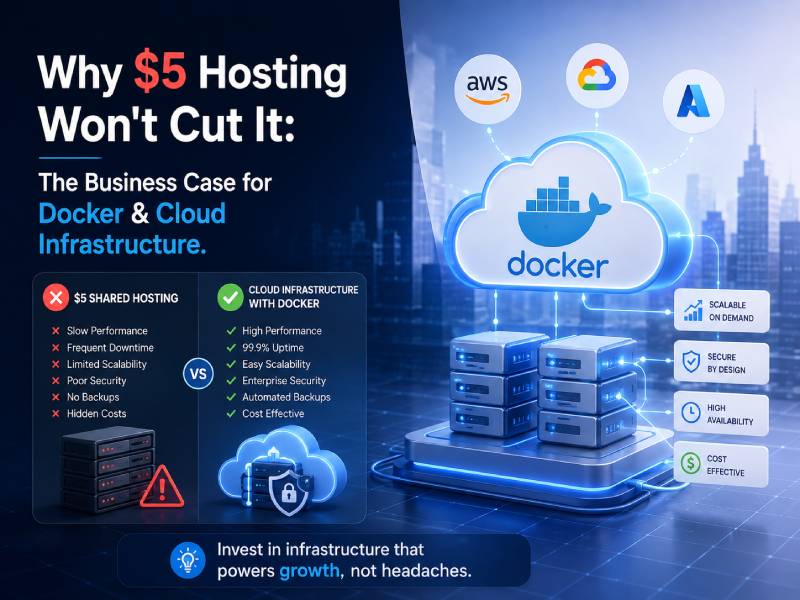
Introduction: The "Penny Wise, Pound Foolish" Trap
It's 2 AM. A developer is SSH'd into a production server, half-awake, manually restarting a crashed service while customers post their outrage on social media in real time. Sound familiar? This scene plays out every single night, somewhere, on a $5-a-month droplet that was never built to run a business on.
Here's the math nobody puts on the invoice: the $5/month you saved on hosting is dwarfed — not by a little, but by orders of magnitude — by the thousands of dollars lost in revenue, developer productivity, and brand reputation during a single hour of downtime. That 2 AM fire drill isn't cheap. It's just invoiced differently: in burned-out engineers, in churned customers, in a board meeting where someone has to explain why the platform was down during business hours.
Docker and cloud infrastructure aren't a luxury upgrade. They're the insurance policy that actually pays for itself — every single month.
This article breaks down exactly why "budget" hosting becomes the most expensive decision a growing business makes, and what a modern, containerized cloud architecture actually buys you in return.
Section 1: The "It Works on My Machine" Nightmare — The Case for Docker
Every engineering org has heard this sentence, and every CTO should treat it as a red flag: "It works on my machine." That sentence is the sound of environment drift — the developer's laptop, the staging server, and the production box have quietly diverged, running different PHP or Node versions, different system libraries, different OS patch levels. Deployment stops being routine and becomes a stressful, manual ritual, every single time.
Practical Aspect: Packaging the Entire Runtime
Docker containers package the entire runtime environment — code, dependencies, and system tools — into a single portable unit. This means:
- A Java microservice, a Python ML script, and a legacy PHP application can all run harmoniously on the same physical hardware, with zero version conflicts between them.
- What runs on a developer's laptop is byte-for-byte identical to what runs in production — because it's the same container image.
- Deployments become predictable, repeatable events instead of anxiety-inducing, all-hands-on-deck incidents.
Picture a 10-year-old monolithic CRM still running on an outdated version of CentOS. Rewriting it outright would take a year and a seven-figure budget the business doesn't have right now. Instead, we containerize it as-is — wrapping the existing application and its exact dependency versions inside a Docker image. That container now runs securely on modern, cloud-native hardware, with none of the risk of an immediate rewrite. This buys the business time to modernize incrementally, on its own schedule, instead of under duress.
Section 2: The "Cattle, Not Pets" Philosophy — The Case for Cloud Infrastructure
Every ops team eventually falls into one of two camps. In the "Pet" approach, servers get names, developers manually patch them at 11 PM, and everyone quietly fears the day one of them crashes for good. In the "Cattle" approach, individual servers are disposable by design — auto-scaling groups and immutable infrastructure mean no single instance is precious, because any failed one is simply replaced.
Practical Aspect: Auto-Healing
Modern cloud infrastructure — AWS Auto Scaling Groups, Kubernetes, or equivalent — automatically detects a failed container or node and spins up a new, pristine copy within seconds. No developer wakes up. No customer notices. The system heals itself.
A retail enterprise runs its e-commerce platform on a $5 VPS. On Black Friday, traffic surges 500%. The server crashes — and stays down, because there's nothing behind it to take the load. Now picture the same platform on real cloud infrastructure: Horizontal Pod Autoscaling detects the CPU spike in real time and instantly provisions 10 new containers to absorb the traffic. When the sale ends, it scales back down automatically — so the business isn't paying for that capacity in the quiet weeks of January.
Section 3: The "Hidden Costs" of $5 Hosting — The Financial Breakdown
The invoice for budget hosting only ever shows one number. It never shows the costs hiding underneath it:
- Developer overtime — hours burned debugging environment drift, mystery crashes, and manual deployment failures instead of shipping features.
- Lost revenue — for a mid-sized B2B SaaS business, an hour of downtime can easily run $10,000 or more in lost transactions, missed signups, and support escalations.
- Security exposure — shared hosting environments have notoriously poor isolation between tenants. A neighbor's compromised site on the same box can expose your application's data, your customers' data, and your compliance posture.
Compare that to the FinOps advantage of real cloud infrastructure: pay-as-you-go scaling means you're never paying for idle, over-provisioned bare-metal capacity sitting there "just in case." You pay for the compute you actually use, when you actually use it.
Cost Comparison: $5 Hosting vs. Cloud Infrastructure
| Category | $5/Month Hosting | Docker & Cloud Infrastructure |
|---|---|---|
| Scalability | Fixed capacity; manual resizing; often requires downtime | Auto-scaling up and down in real time based on demand |
| Uptime | Single point of failure; no auto-recovery | Auto-healing; failed instances replaced within seconds |
| Security | Shared tenancy; weak isolation from other customers | Isolated containers/VPCs; enterprise-grade network controls |
| Dev Velocity | "Works on my machine" drift; manual, stressful deploys | Identical environments everywhere; routine, automated deploys |
| The invoice total is the smallest difference between these two columns — the operational and financial gap is far larger. | ||
"$5 hosting doesn't eliminate cost. It just moves the cost off the invoice and onto your downtime, your developers, and your customers."
Real-World Math
A $5,000/month cloud infrastructure bill sounds significant — until you compare it to what it replaces. A single 2-hour outage at $10,000/hour in lost revenue already costs $20,000 — four times the entire monthly cloud spend, in one incident. Add in the developer hours spent firefighting instead of building, and the "expensive" cloud bill is, in reality, the cheaper option by a wide margin. Businesses don't go bankrupt from cloud bills. They lose customers, revenue, and reputation from the outages that budget hosting doesn't prevent.
Section 4: Disaster Recovery & Business Continuity
Every enterprise stakeholder has the same quiet fear: what happens if we lose our data? It's a legitimate fear on a $5 VPS, where the compute and the storage are often the same fragile box.
Practical Aspect: Decoupled Storage
Docker Volumes and cloud block storage (AWS EBS, Google Persistent Disks) are decoupled from the compute instance entirely. If a server dies, the data doesn't die with it — it persists independently and re-attaches to a new instance almost instantly.
Cloud regions do go down — it happens to every major provider eventually. A multi-region deployment — containers running in both, say, AWS us-east-1 and eu-west-1, behind a load balancer — means that if an entire region fails, traffic fails over to the healthy region within minutes. Customers barely notice. This kind of resilience is simply impossible on a single $5 VPS, because there is no "other region" to fail over to — there's just the one box, and whatever happens to it happens to your business.
Conclusion: Pay for Performance, Not for Pain
Migrating to Docker and cloud infrastructure isn't an expense line to minimize. It's an investment in engineering productivity, customer trust, and business continuity — three things that compound in value every quarter you have them, and compound in cost every quarter you don't.
So ask yourself the question that should genuinely worry you: what happens to your business if your primary application is unreachable for four hours — during business hours? If that thought makes your stomach drop, you already know the answer. You need a modern infrastructure stack, and you needed it before today.